

Digital Admin
in your pocket
Scan your receipts, track your expenses and invoices, and message your fiduciary, from your iPhone or Android phone.


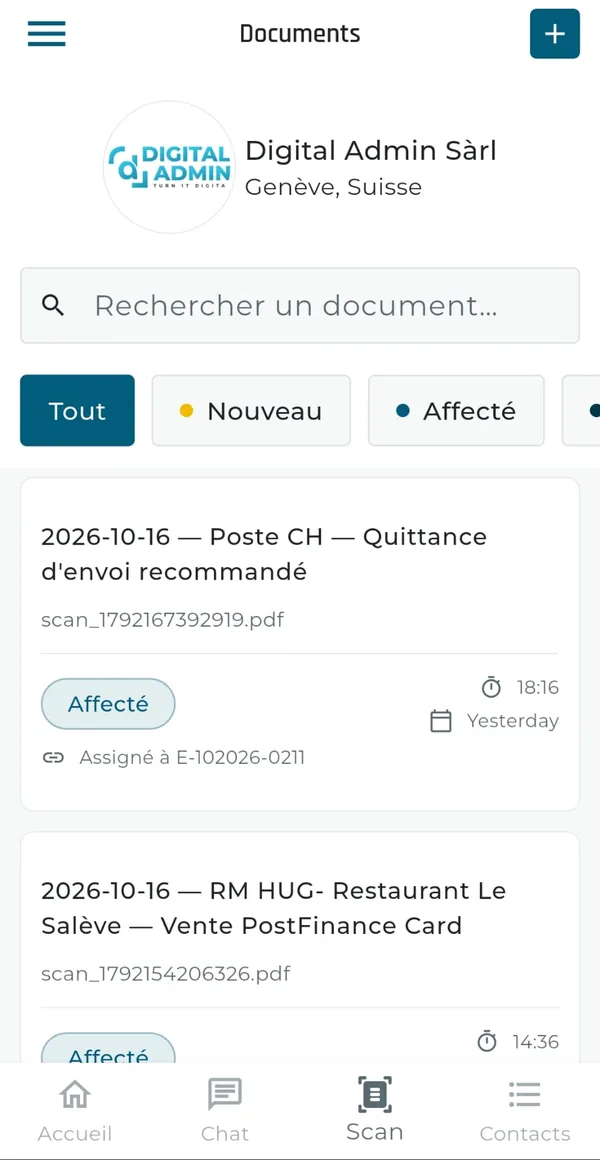
What you can do in the app
Scan a receipt
Take a photo of a receipt or invoice, or import a photo or PDF. The amount and supplier are read automatically.
Expenses and expense reports
Create them, attach your receipts, submit them for approval and track their status. If one is rejected, the reason is shown so you can fix it and submit it again.
Sales and purchases
View your quotes, orders and invoices, with outstanding amounts and due dates. On the purchasing side, find your suppliers' quotes, orders and invoices; add a supplier invoice by scanning it.
Documents
Access your company's documents and open PDFs in one tap.
Chat and contacts
Message your fiduciary and your colleagues. Call, text or email your contacts, and add a Digital Admin contact by scanning their QR code.
Several companies
Switch from one company to another if you have access to several.
How to get started
For all users
The app is open to all Digital Admin users, whether or not their company is a client of the fiduciary.
Your account
Create your account on the web, then sign in to the app with the same credentials.
Five languages
The app is available in English, French, German, Italian and Spanish.
Your data
Your data is hosted in Switzerland. Details of how it is processed, including for the mobile app, are set out in our privacy policy.
Download the Digital Admin app